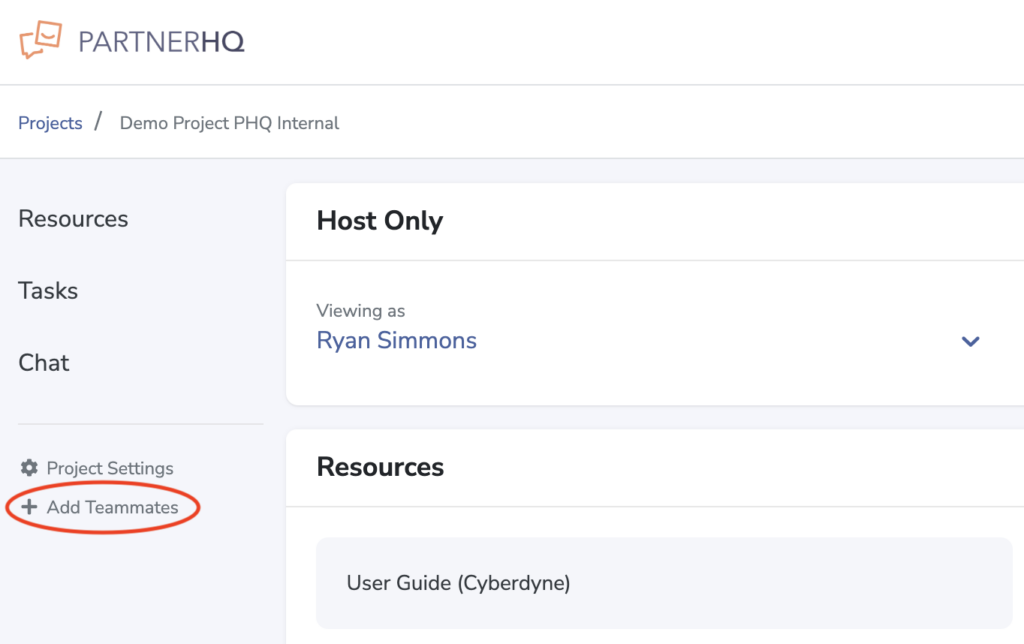
When logged into a project or event inside PartnerHQ, you’re able to add your teammates. This allows you to loop in others on your team to contribute, complete tasks, and review resources.
Inviting a Teammate
Once logged into a project, select “Add Teammates” in the left side navigation.
Click the add teammate button on the right side of the organization list.
Fill in your teammate’s email address and click “Send Invitation.”
What Happens After the Invitation
An invitation will be sent from hello@partnerhq.com with instructions on how to join the project and set up an account. Once they have accepted the invitation, they will automatically be included on future reminders and communications from the project.