Overview
PartnerHQ integrates with DocuSign eSignature so you can send agreements — sponsorship contracts, waivers, NDAs — to your partners and collect signed copies, all inside your project. You use your own DocuSign account and templates; PartnerHQ sends on your behalf and tracks every signature through to completion.
How it works at a glance:
- Connect - Host (org owner) connects the organization's DocuSign account once.
- Build - Add a DocuSign document field to a task and pick a template from your DocuSign account.
- Sign - Partner opens the task and signs the document right inside PartnerHQ — no separate email or login.
- Archive - PartnerHQ automatically records the completed signature and stores the signed PDF on the assignment for both sides to download.
Each customer connects their own DocuSign account, so agreements are always sent from your account, under your branding and audit trail.
For hosts: connect your DocuSign account
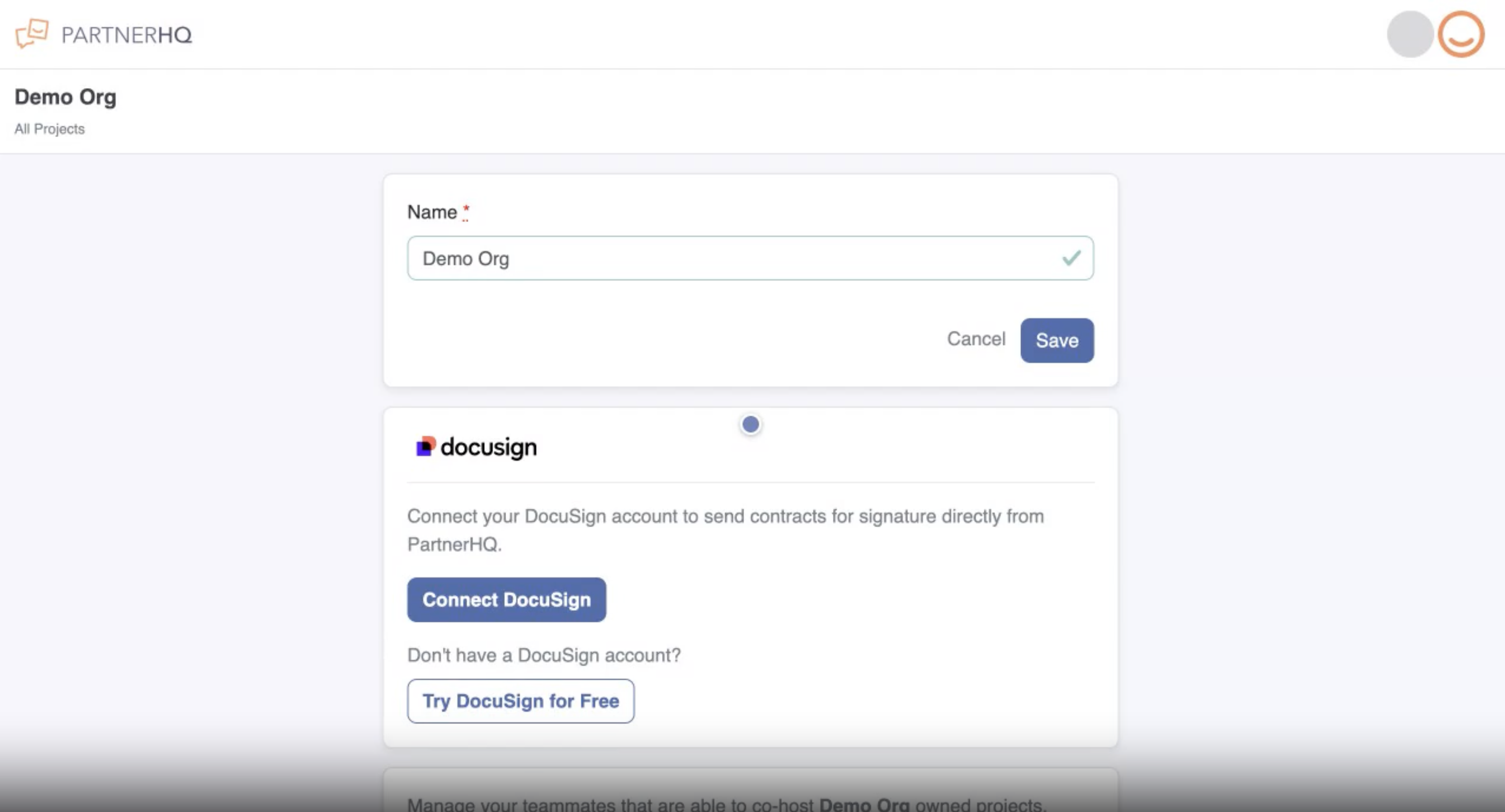
- Open your organization settings.
- Find the DocuSign card and click Connect DocuSign.
- Sign in to DocuSign and authorize PartnerHQ.
- When it's done, the card shows Connected as [your-email].
A few notes
- Only an organization owner can connect or disconnect DocuSign.
- Don't have a DocuSign account? Click Try DocuSign for Free on the same card to start a trial — you'll come back to PartnerHQ ready to connect.
- PartnerHQ connects over a secure OAuth link. Your DocuSign password is never stored, and you can disconnect at any time from the same card.
For hosts: build an agreement task
- Create or edit a Task.
- Give it a name (for example, Waiver of Liability).
- Under Fields, click Add Fields and choose DocuSign document.
- In the field settings, pick the DocuSign Template to use. Your templates load directly from your connected DocuSign account.
- Click Save & Publish.
When a partner reaches the task, PartnerHQ creates a DocuSign envelope from your template and fills the template's Signer role with the partner's name and email automatically.
Tip: Build the agreement as a template in your DocuSign account first, with a “Signer” role. Any template in your account is available in the dropdown.
For partners: sign a document
- From your dashboard, open the task that has the agreement.
- Click Sign document.
- The document opens right inside PartnerHQ — review it and sign.
- When you click Finish, you're returned to the assignment.
You don't need a DocuSign account or login — signing happens directly in your PartnerHQ workflow.
After signing: status and the signed copy
- The task updates to Completed, showing who signed and when.
- The fully executed PDF is retrieved from DocuSign and stored on the assignment.
- Both the host and the partner can click Download signed PDF to get the executed agreement at any time.
- Status updates arrive in real time, so hosts always see the latest state of every agreement.
Security & privacy
- OAuth 2.0 connection — PartnerHQ never sees or stores your DocuSign password.
- Access tokens are encrypted at rest, and only an organization owner can connect or disconnect.
- Each customer connects their own DocuSign account; agreements are sent from that account with its audit trail.
- Completion is confirmed through a verified DocuSign Connect webhook.
Frequently asked questions
Do I need a DocuSign account? Hosts do (or start a free trial from the DocuSign card). Partners do not — they sign right inside PartnerHQ.
Which DocuSign plan works? Any DocuSign eSignature plan that supports templates. You connect your own account.
Can I use my own contract? Yes. Build it as a template in your DocuSign account with a “Signer” role, and select it when you set up the task.
Who can connect or disconnect DocuSign? Organization owners. Co-hosts can build signing tasks against the connected account but can't change the connection itself.
Are the signed documents legally binding? Yes — DocuSign provides the legally binding signature and the audit trail. PartnerHQ stores the completed copy.
Where do I find the signed agreement? On the task assignment, click Download signed PDF. It's available to both the host and the partner.
What happens if I disconnect DocuSign? New agreements can't be sent until you reconnect. Any in-progress signature requests are closed out.