Partners that have not confirmed their access will be marked with an orange dot to the left of their name. Related post: Will all my partners receive my posted announcement?
Locating the Partner
To resend an invitation, click on the partner's name or gear icon to the right of the row.
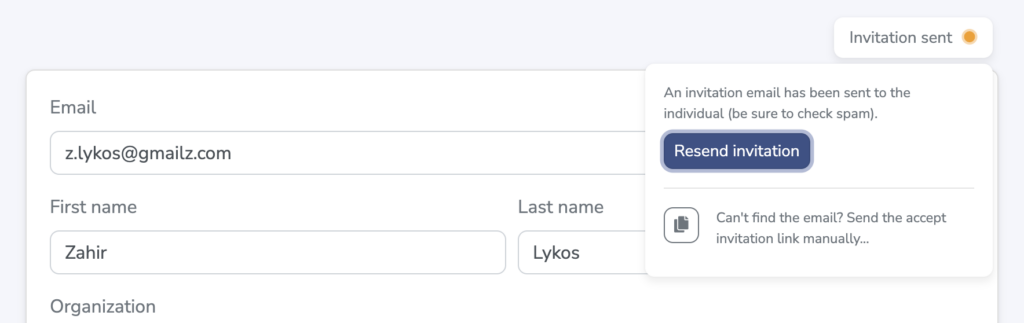
Within that partner's detail page there is a status notice in the top-right corner that will state "Invitation Sent." Clicking this notice will display two options.

Resend Invitation Options
- Resend Invitation - Clicking the "Resend Invitation" button will send a new invitation email. (Make sure that partners are checking spam folders in case these are getting filtered out of the inbox.)
- Copy/Paste Invitation Link - A second option (often our preference and recommendation) is to simply copy/paste the invitation link and send directly to the partner to solve the access need. Clicking the copy icon will copy the link to your clipboard for pasting into your email or other message.